Busy morning?
Just go.
I'll handle the briefing.
Weather, traffic, stocks and your schedule, read aloud at commute time. When the briefing ends, your usual music or radio picks up right where it left off. No button to press.
No complicated Shortcuts setup on your iPhone — turn on just the summaries you need, and a minute in the morning covers the day.
A minute in the morning, and the day is sorted
Everything you would have opened four apps for, spoken once, while your hands are busy.
One minute, whole day
Weather, the road ahead, today's schedule, your reminders, the market — gathered into a single briefing about a minute long. No app to open, no screens to swipe through.
AirPods in, or engine on
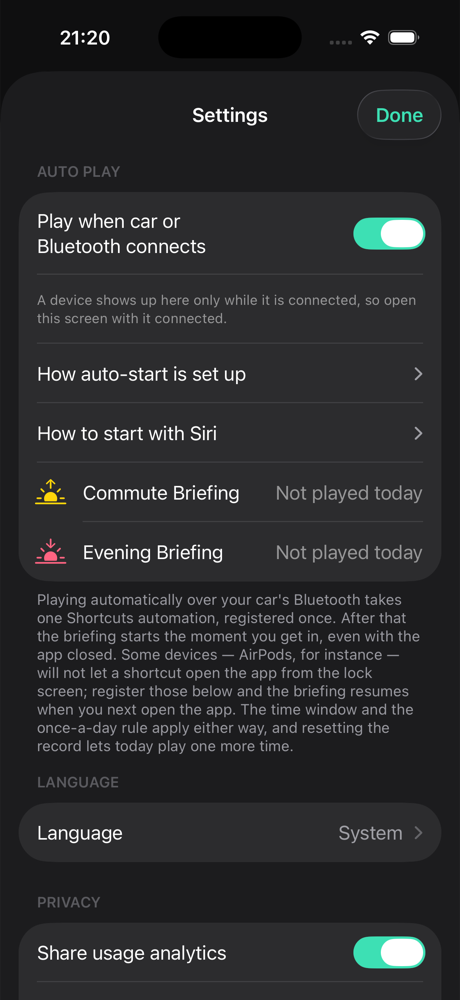
Put in your AirPods or start the car and the Bluetooth connection is enough: the briefing begins on its own. Nothing to tap on a busy morning.
Only the items you want
Weather, traffic, stocks, calendar, reminders, health — switch on only the ones you care about, and drag to set the order they are read in.
A voice you actually like
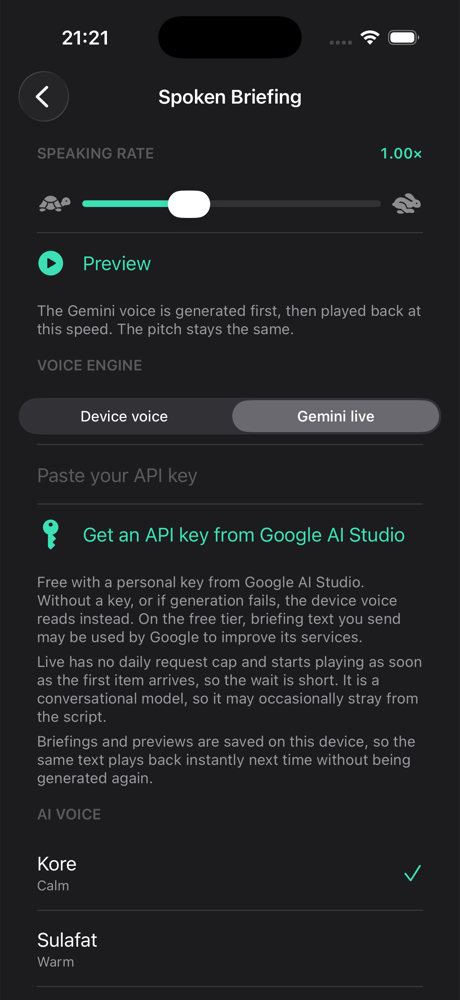
Register a free AI voice API key and pick from thirty AI voices. A natural, bright voice to open the day with.
A clean, bright AI voice
The AI voice reads the briefing in a natural, human tone instead of a flat robotic one — clean and bright enough to wake up to.
Nothing to configure, nothing to pay
No Shortcuts to wire up, no account, no subscription. Flip on only the summaries you want and you are done. Every feature is free.
What goes into a briefing
Turn on only what you need, in the order you want to hear it.
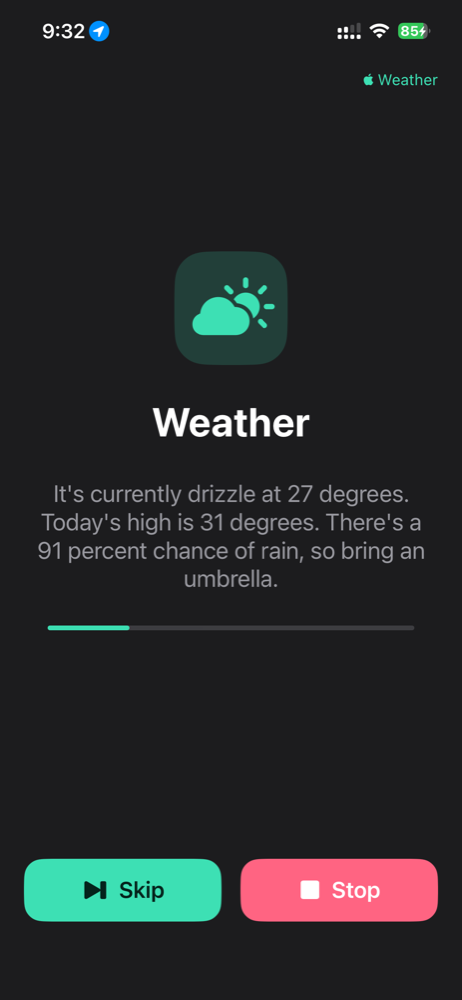
Weather
Temperature, feels-like, chance of rain and air quality for where you are, in one sentence.
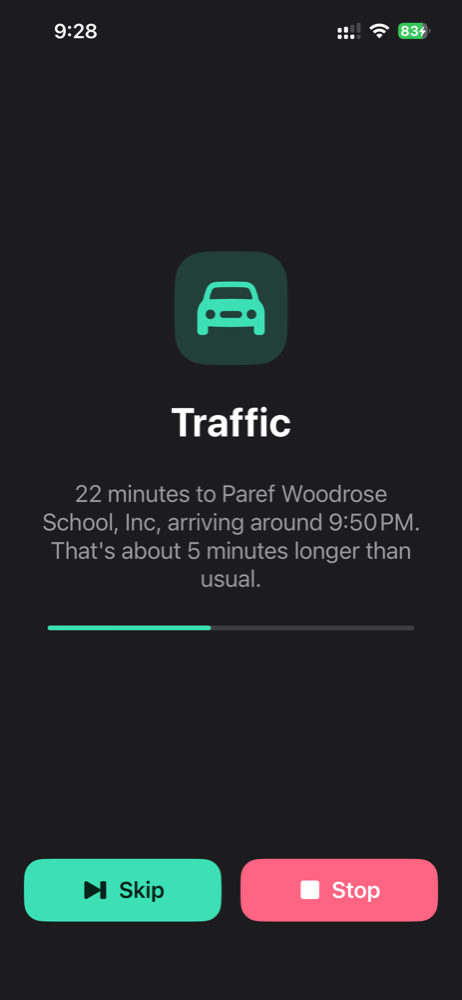
Traffic
Save home and work, and it reports travel time and arrival for the direction you're heading.
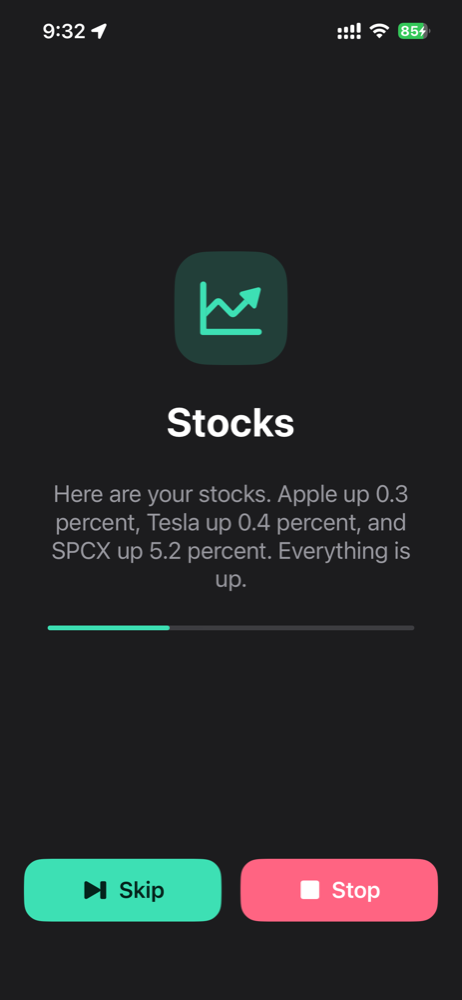
Stocks
Add tickers as chips and get quotes at the open or the close.
Calendar & Reminders
Reads your system calendar and reminders to call out today's events and what's due soon.
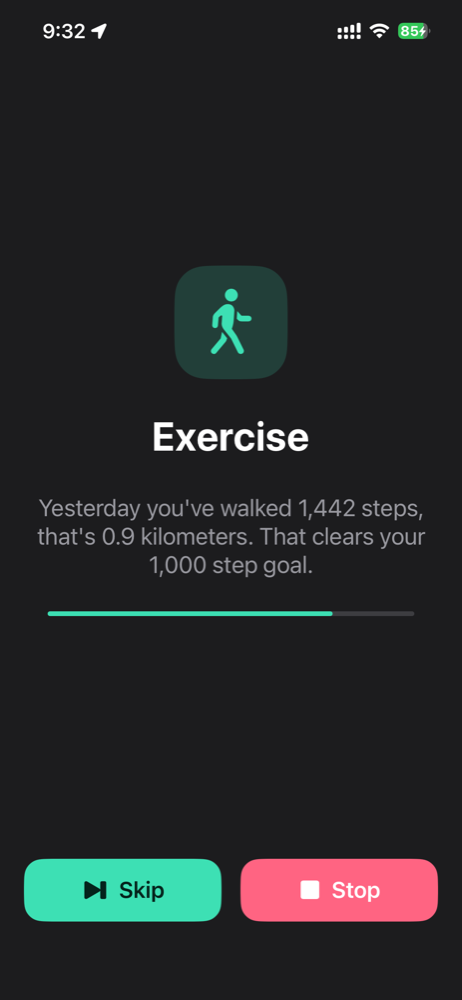
Health & Medications
Steps, distance and walking or running sessions, plus how many of the day's medication doses you've logged and what is still waiting.
Auto-play after the briefing
When the briefing ends, YouTube, radio or an Apple Music playlist starts right away.
Natural AI voice
Listen in your device's own voice, or in an AI voice with a free API key you register yourself. Thirty voices to pick a tone from.
Order and speed
Drag to reorder playback and set voice speed from 0.7× to 1.8×.
Real screens
Set it up on iPhone, then listen hands-free the moment Bluetooth connects.
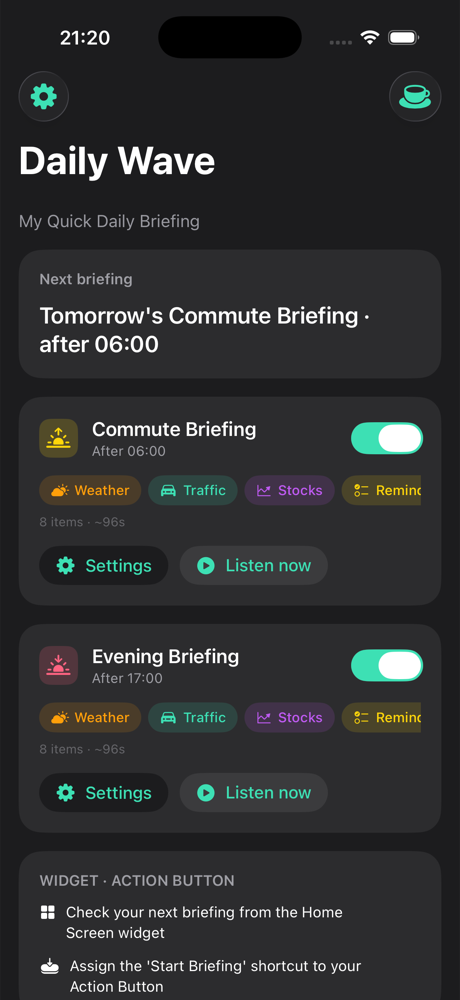
Set just three things
Pick briefing times
Just set the window — after 6 AM for the morning, after 5 PM for the evening.
Toggle and sort items
Turn on only what you want to hear, then drag it into the order you like.
Get in the car
When Bluetooth connects, the briefing for that time window plays on its own.
Every personal detail
stays on your device.
Your settings, watchlist and destinations stay on your device. BLUEKEI SOFT runs no server and collects no personal data — only anonymous usage statistics. Weather, traffic and quotes are fetched straight from public sources at the moment you listen.
Read the privacy policy →Leave the messy commute briefing to me,
and keep your attention on your life.
Mornings and evenings run on their own. You listen for a minute, and the rest of the hour is yours.
Get it on the App StoreFree to use, always
Frequently asked questions
Short answers about Daily Wave.
What is Daily Wave?
Daily Wave is a free iPhone app that reads you a one-minute spoken briefing — weather, traffic, stocks, calendar, reminders and health — the moment your AirPods or car Bluetooth connect. When the briefing ends, your music, radio or YouTube picks up where it left off.
How does the briefing start automatically?
You set a morning and an evening time window, such as after 6 AM and after 5 PM. When a Bluetooth device like AirPods or your car connects inside that window, the briefing for that window plays by itself. There is no button to press and no Shortcuts automation to build.
Is Daily Wave really free?
Yes. Every feature is free, with no subscription, no ads and nothing to unlock. Optional tips through Apple In-App Purchase support development but unlock nothing.
What can a briefing include?
Weather with rain chance and air quality, commute time and arrival for home or work, stock quotes for your watchlist, today’s calendar events and reminders, steps and workouts, and medication doses logged in the Health app. Turn on only the items you want and drag them into your preferred order.
Do I need an account? Where is my data stored?
No account or sign-up is needed. Daily Wave runs no server: settings, destinations, calendar, health data and watchlist stay on your iPhone. Only anonymous usage statistics are sent, and you can turn them off in Settings.
Which devices does Daily Wave support?
Daily Wave runs on iPhone with iOS 17 or later and works with any Bluetooth device, including AirPods and car audio. An Android version for Google Play is coming soon.
Can the briefing use a natural AI voice?
Yes. By default it uses your iPhone’s built-in voice. You can also register your own free Google Gemini API key and choose from thirty natural AI voices, with playback speed adjustable from 0.7× to 1.8×.
What plays after the briefing ends?
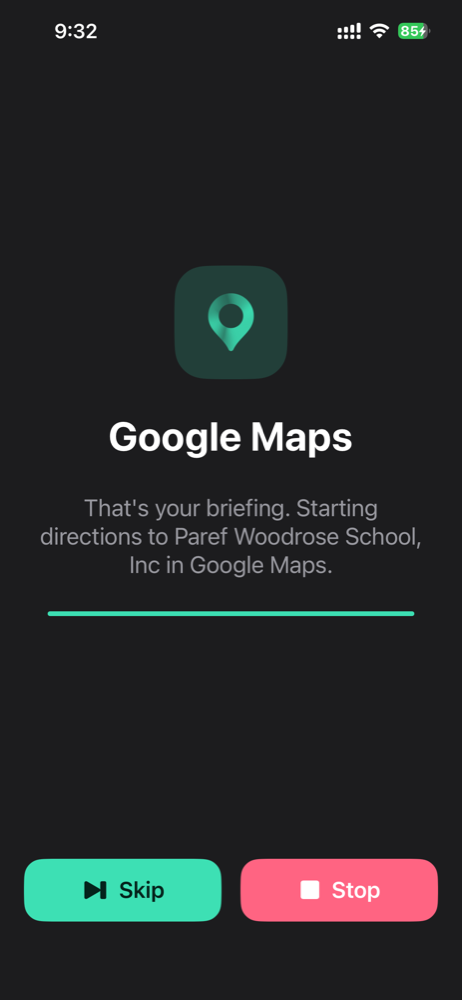
Whatever you choose: your usual music resumes, or YouTube, a radio station or an Apple Music playlist starts right away. It can also open Google Maps directions to your destination.